Web studio / Android
ClipGenius AI
Long recordings. Short, captioned stories.
What it does
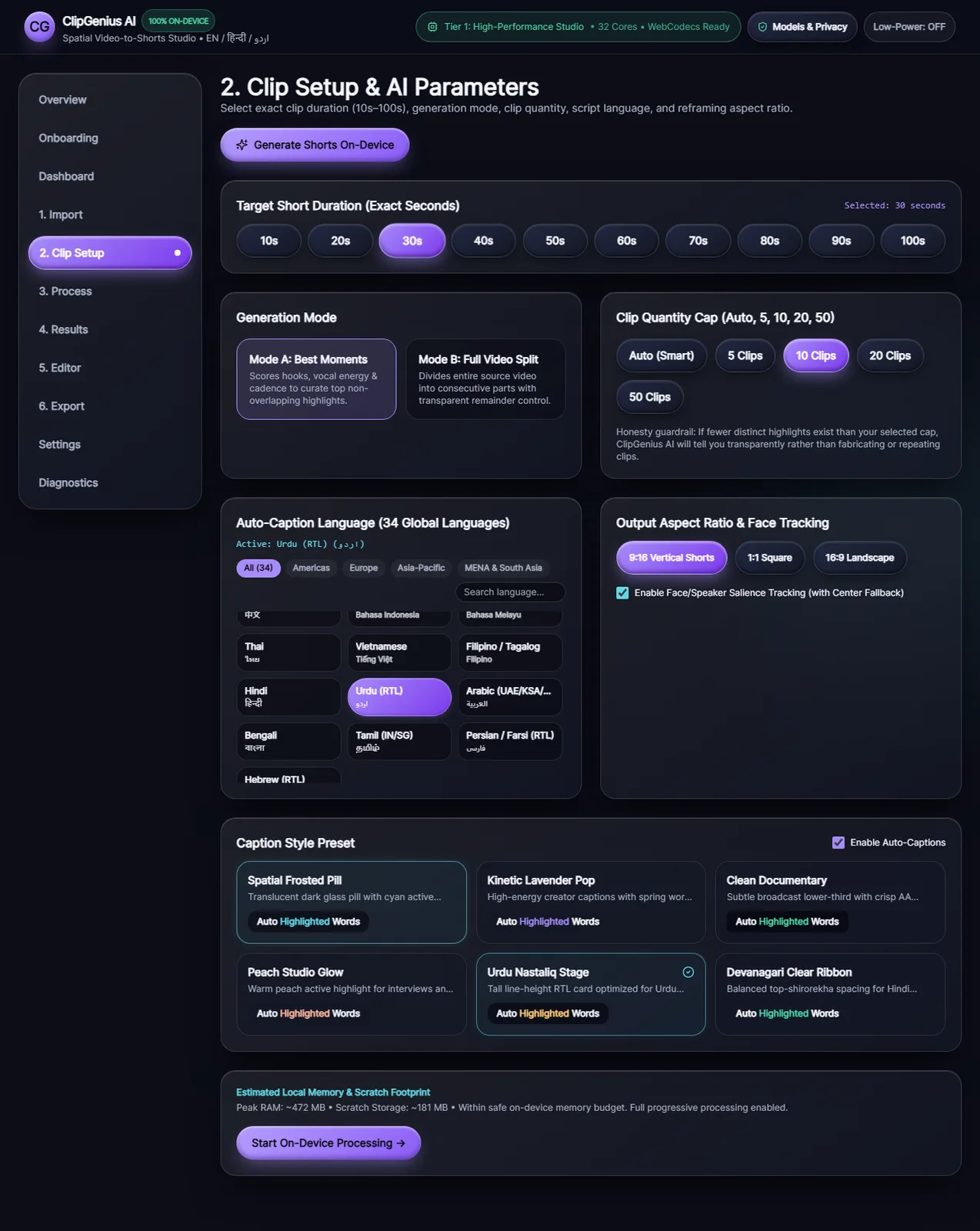
A video-to-shorts studio that turns your recordings into vertical clips with editable captions. Local processing keeps the editing workflow on your device, with tools for highlight selection, full-video splitting and export.
Key features
- Best Moments and Full Video Split
- Vertical 9:16 reframing
- English, Hindi and Urdu caption support
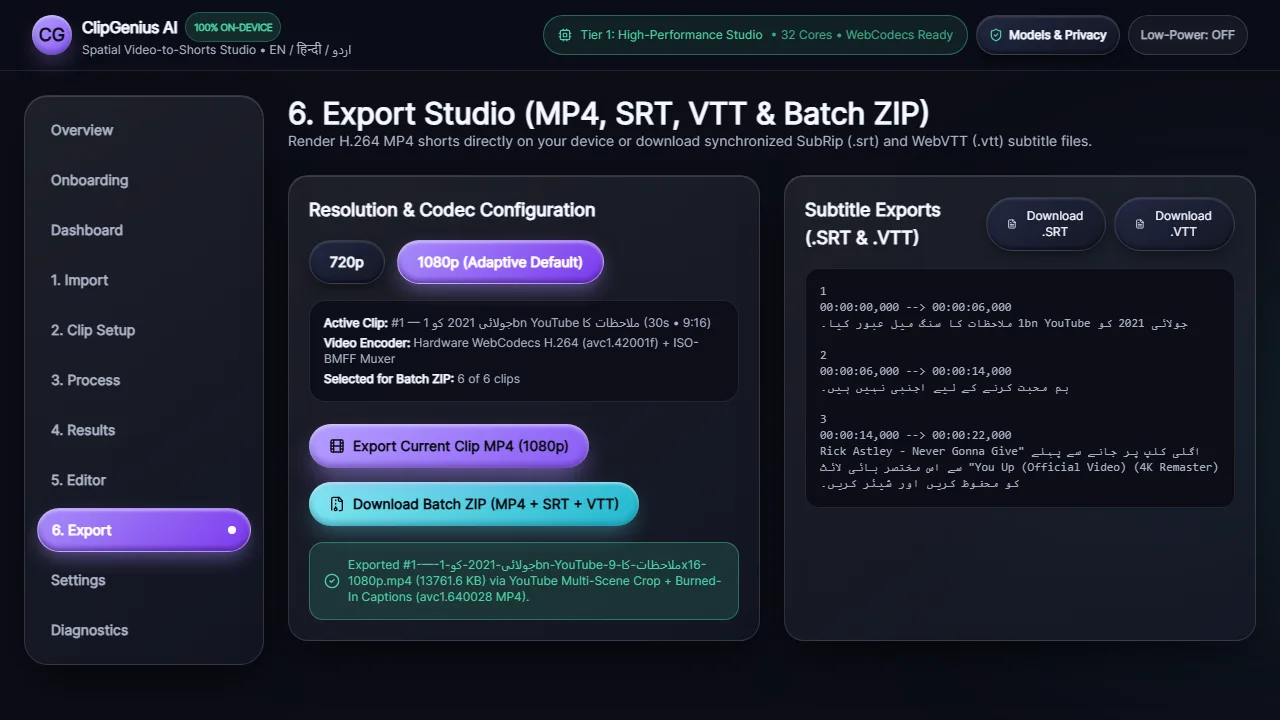
- MP4, SRT and VTT exports
From start to finish
How it works
Import a video you own and choose the clip length and quantity.
Choose Best Moments for scored highlights, or Full Video Split for consecutive clips.
Review the framing and captions, then export video and subtitle files.
Inside the application
A closer look
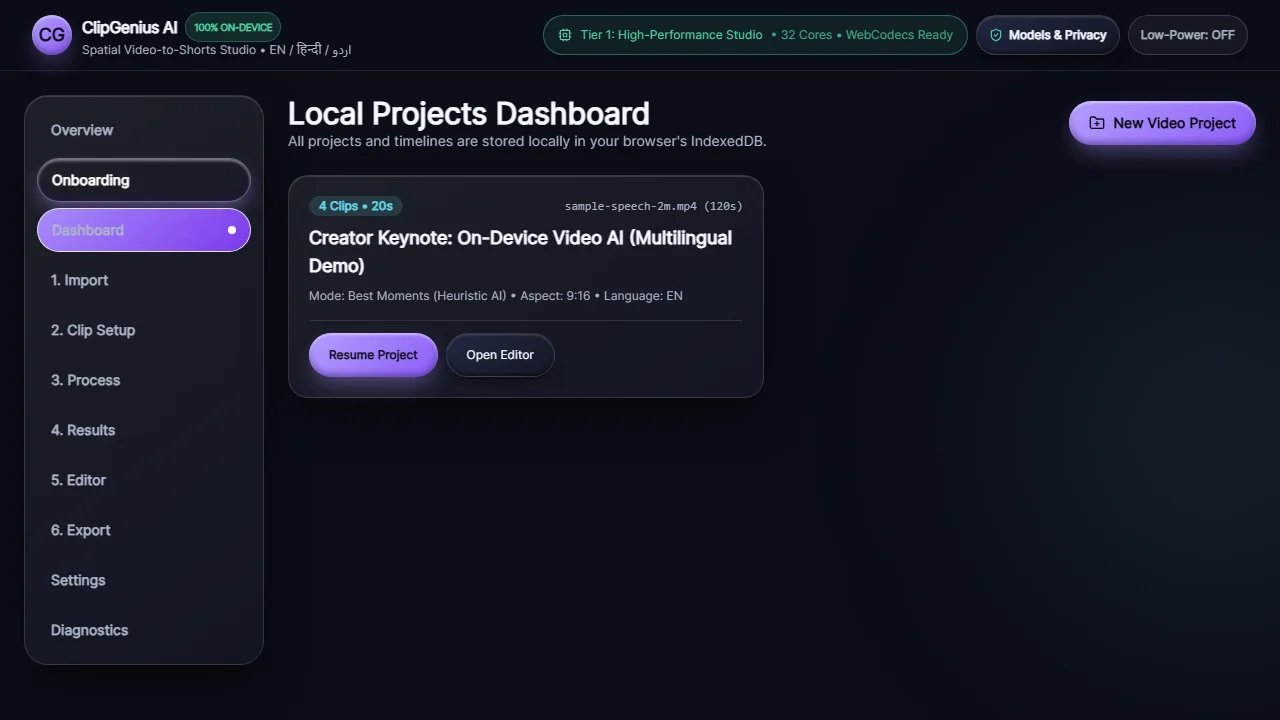
Actual screenshots from the application. Select an image to see the full capture.
Your next chapter starts here
Have an idea? Let’s build it.
Tell us what you have in mind. We’ll help you find the right way forward.